Pricing table
A Pricing Table section in Shopify is used to display different pricing plans, product comparisons, or service packages in a structured way. It helps customers easily understand what each plan or product offers.
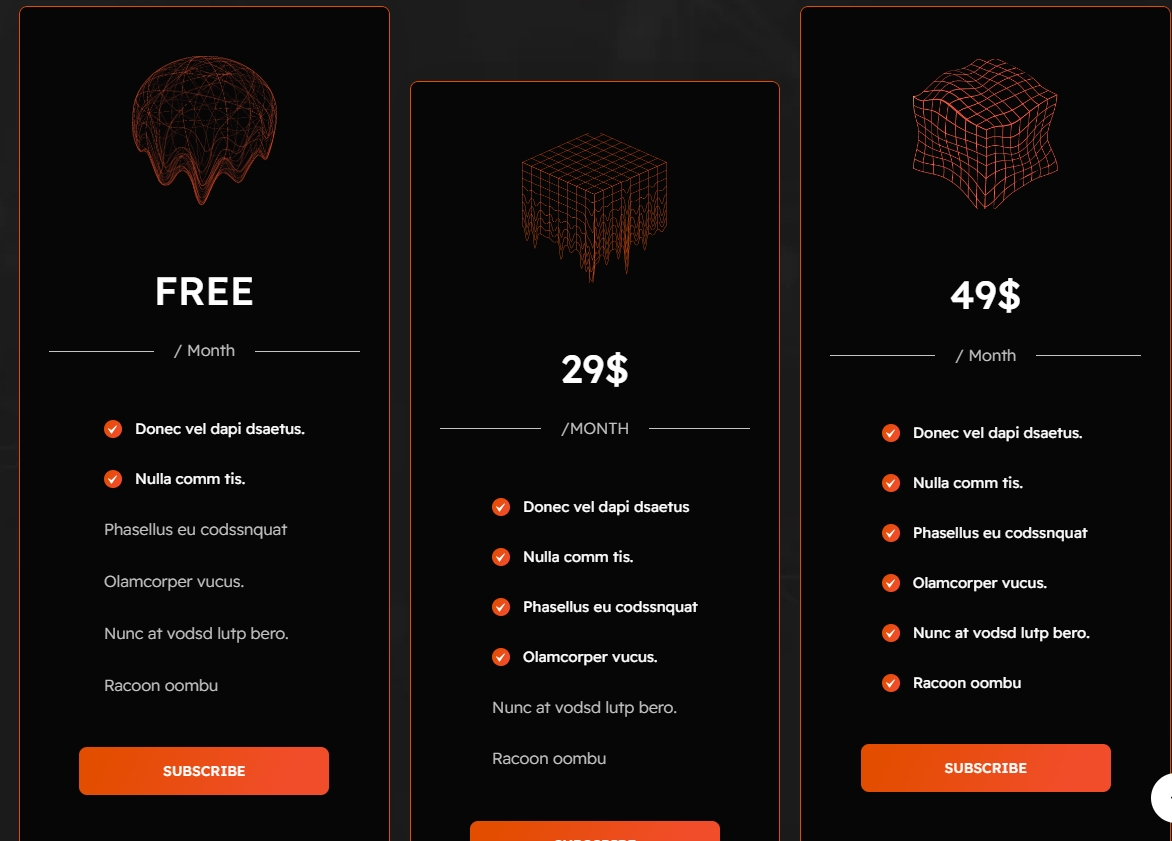
Go to Online Store > Themes > Customize.
Click Add section and search for Pricing Table (if available in your theme).
Click Save and preview your changes.
Customization Options
Show Full Width: Expands the section across the entire screen width.
Right & Left Spacing : Add spacing to the Full Width layout (applies in full-width mode).
Heading: Set a custom title (e.g., "Pricing Table").
Heading Size: Choose for size Small, Medium, or Large
Subheading: Add additional text if needed.
Body Text: Add a description (e.g., "Best arrivals this week").
Button Label: Add text (e.g., "Shop Now").
Button Link: Set the URL destination.
Color scheme : You can customize the section’s appearance by changing the text color, background color, and more using preset color options.
Background-image : Upload or select the image you want to use as the background for the image block.
Enable Outline Button: Change the button to an outlined style.
Column alignment: Column can be aligned as per the content alignment requirement (Left,Right)
Number of columns on desktop: Display the brand image per column
Block color setting: Display color of the block
Item per row: Choose between 1 to 4 blocks to customize your design layout.
Padding: Top Padding and Bottom Padding are used to adjust the spacing above and below a section in Shopify, improving the layout and readability.
Custom class: The Shopify allows you to apply unique CSS styles to specific sections, blocks, or elements within your theme.
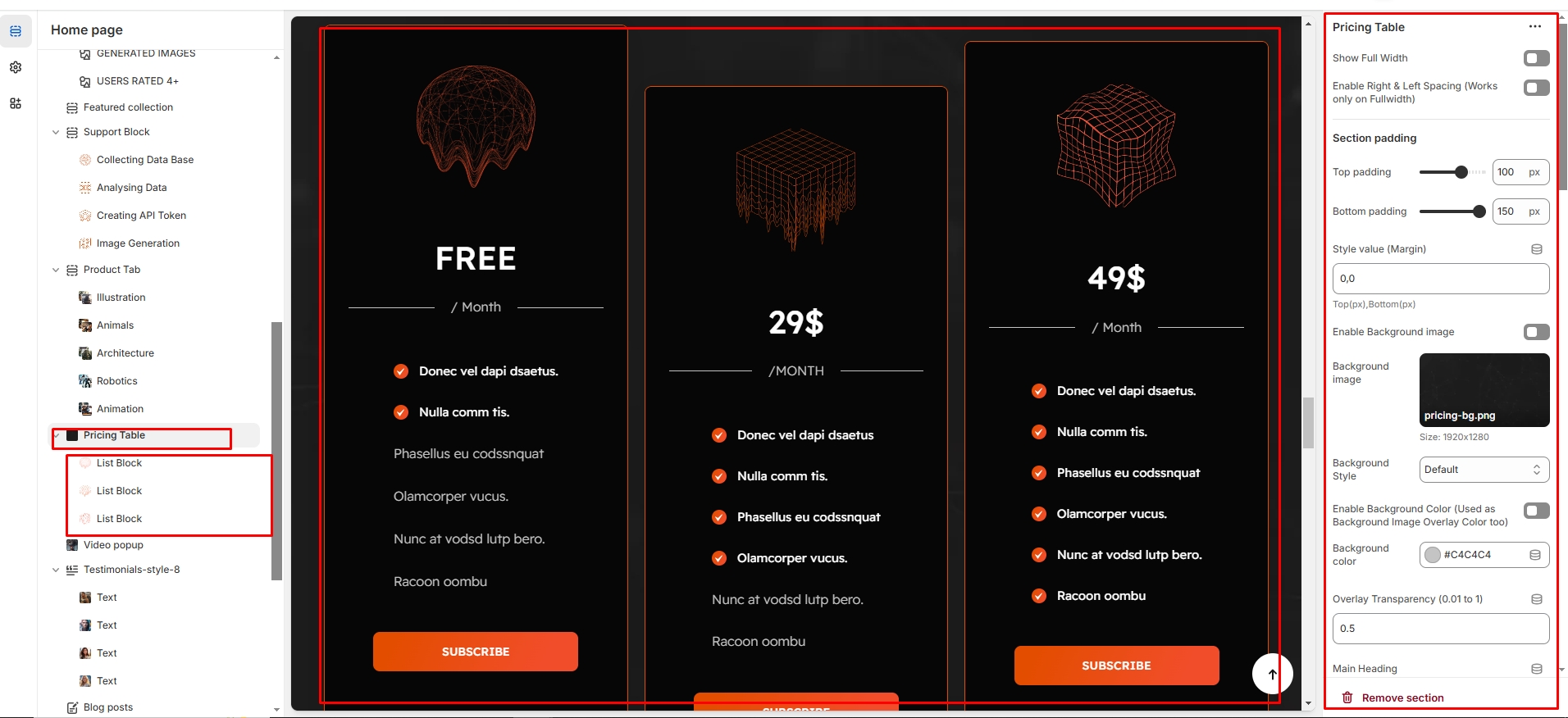
Image : Add an image to visually represent the content.
Heading : Set the main title for the block.
Description : Provide additional details or supporting text.
Button: Add a clickable button for actions (e.g., "Subscribe").
Primary Text (with checkbox) : Enables a highlighted main text for emphasis.
Secondary Text (without checkbox) : Adds additional supporting text without highlighting.