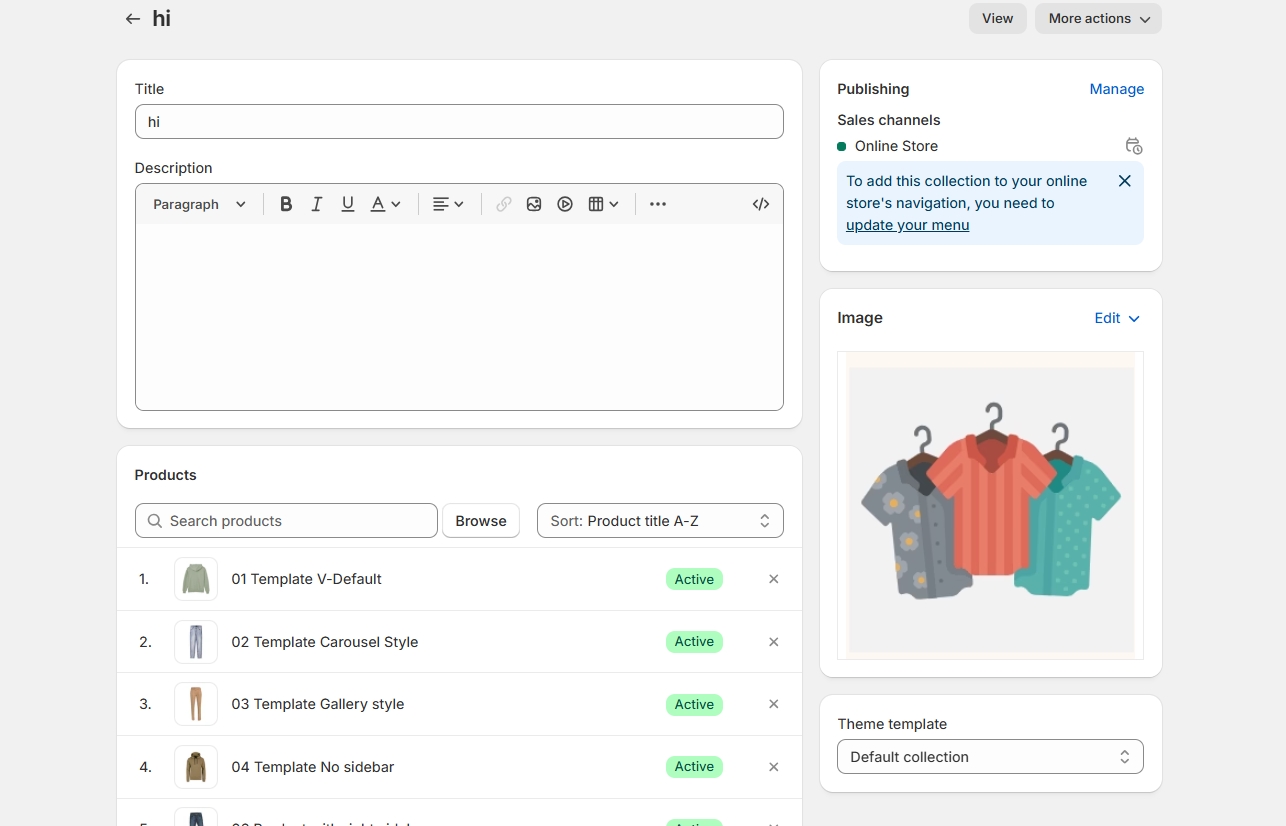
Collection Banner
A collection banner in Shopify is a large image that appears at the top of a collection page. It serves as a visual introduction to the products within that collection, helping to set the tone and highlight key items.
Step 1 : In your Shopify admin, > Product > Collections.
Step 2 : Select the collection you want to add a banner image.(creating collection)
Step 3 : Scroll down to the "Collection image" section.
Step 4 : Click "Add image" and upload your banner image.
Step 5 : Click "Save".
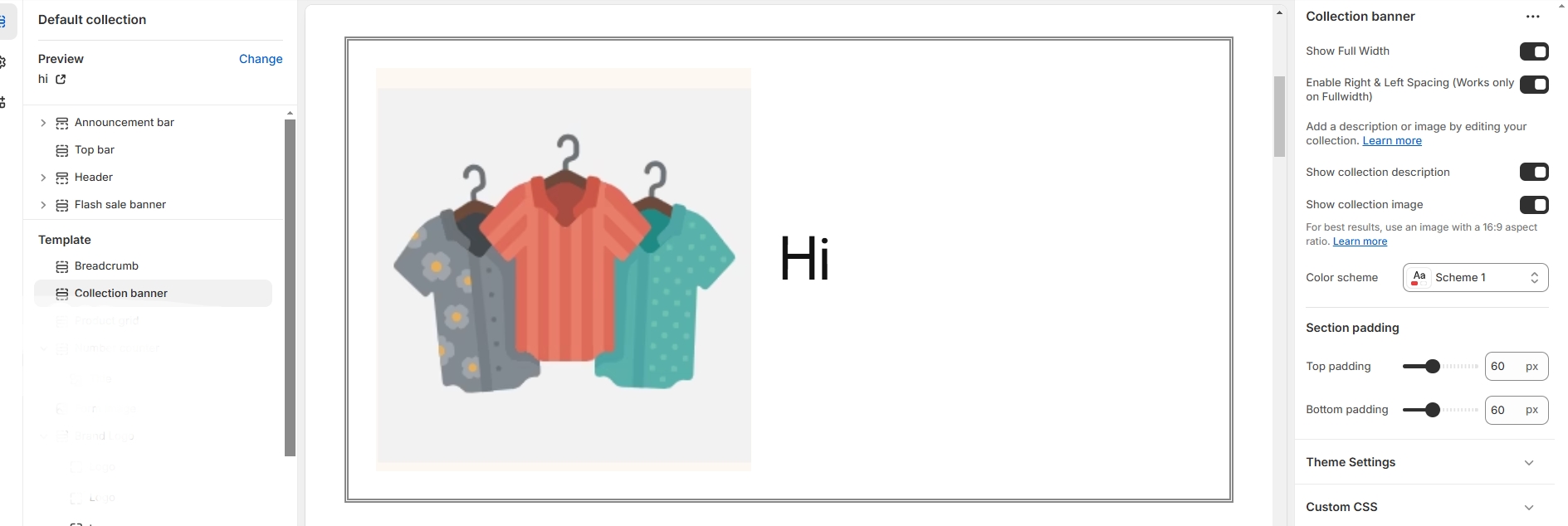
Go to Shopify Admin > Online Store > Themes.
Click Customize on your active theme > Default collection > Click > Collection banner
Show Full Width: Expands the section across the entire screen width.
Right & Left Spacing : Add spacing to the Full Width layout (applies in full-width mode).
Show collection description:On enabling the toggle the collection description will be enabled
Show collection image: On enabling the toggle the collection image will be enabled .
Color scheme : You can customize the section’s appearance by changing the text color, background color, and more using preset color options.
Padding: Top Padding and Bottom Padding are used to adjust the spacing above and below a section in Shopify, improving the layout and readability.