# Preloader
* A preloader is a loading screen image or gif that displays before the main content of a page is fully loaded.
{% hint style="success" %}
**Step 1** : From your **Shopify admin**, go to **Online Store > Themes**.
**Step 2** : Find the theme that you want to **Edit and Click Customize.**
**Step 3** : Click **Theme Settings > Preloader.**
{% endhint %}
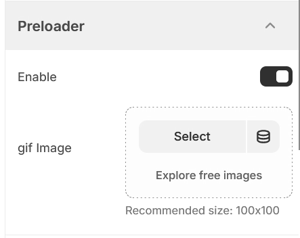
* Enable the toggle for preloader option.
* In the preloader options, you can add an image or gif to display as a preloader in your store by selecting Select Image.
* Finally click **save.**