# Compare
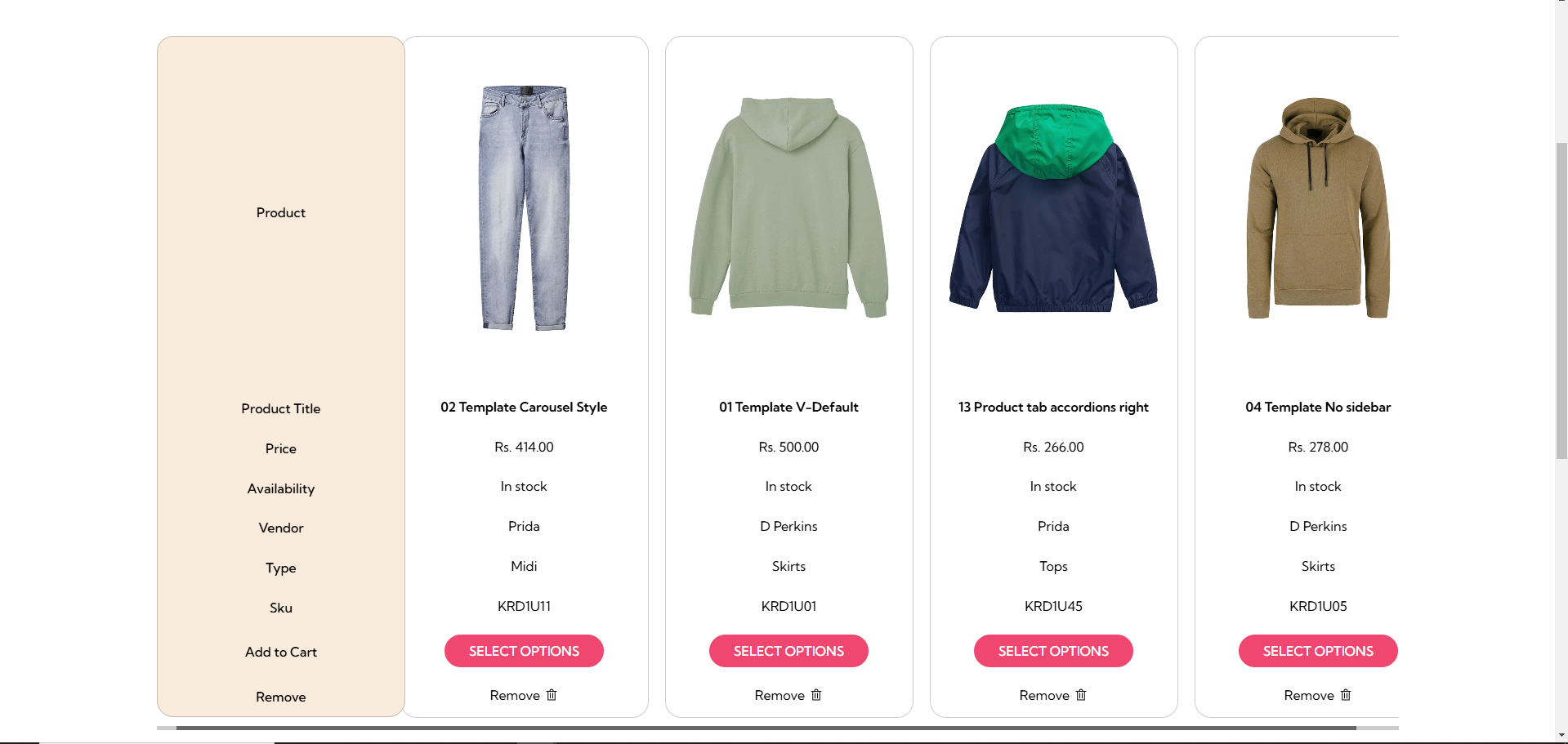
A **Compare Page** in a shopify theme allows customers to compare multiple products side by side based on their features, prices, specifications, and other details.
{% hint style="success" %}
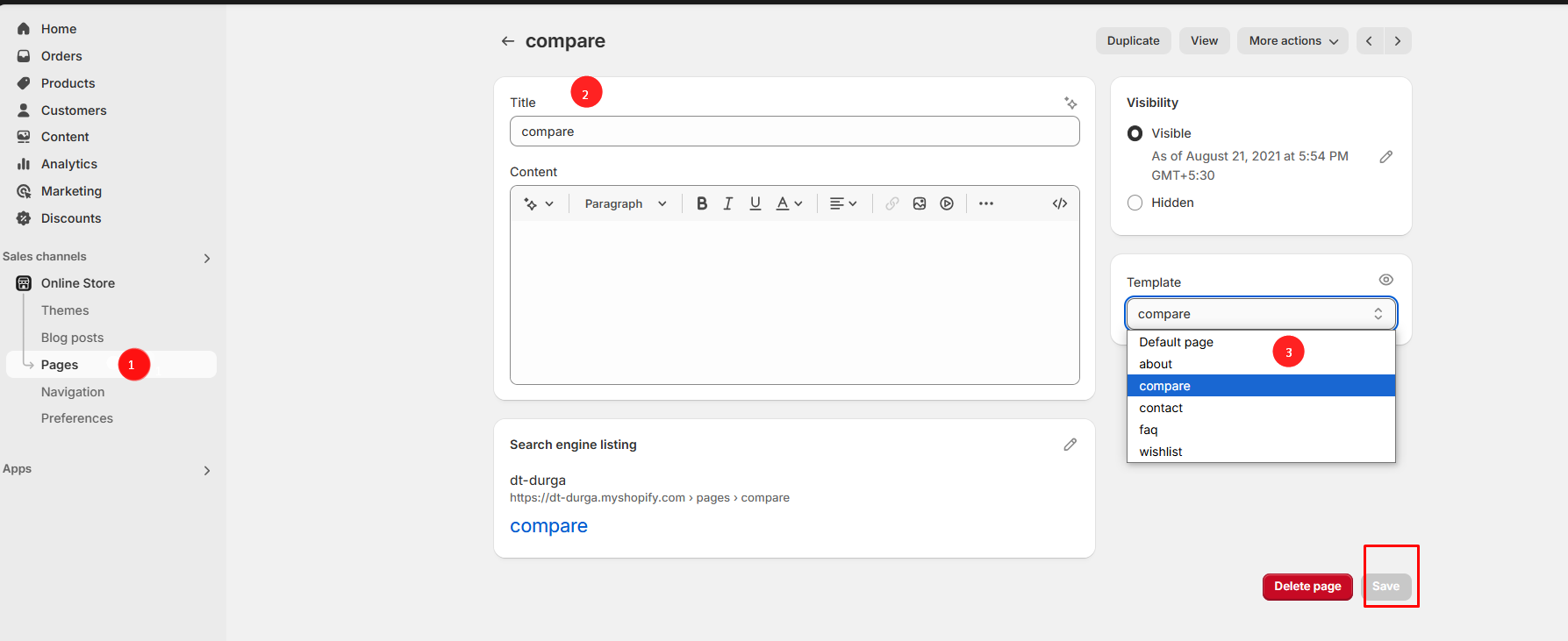
**Step 1:** Go to **Online Store > Pages.**
**Step 2:** Click the **Add page,** it navigates to another page.
**Step 3:** Enter the required **Title** for the page.
**Step 4:** Select **Compare** from the **Theme template** drop-down menu in the **Online Store** section**.**
**Step 5:** **Save** the changes.
{% endhint %}
{% hint style="info" %}
The compare can be enabled in header section or in product detail page. It is used to compare the products
{% endhint %}